Examples: one message, and what came out
Each example below is one message to the assistant and the screen as it was afterwards, with nothing touched up. Each took under a minute. The link under an example opens the same product with the same message in the box, for you to send.
A flange, from words
3D CAD. The message: "A pipe flange: Ø120, 12 mm thick, bore Ø50, 6 holes Ø11 on a Ø95 circle."
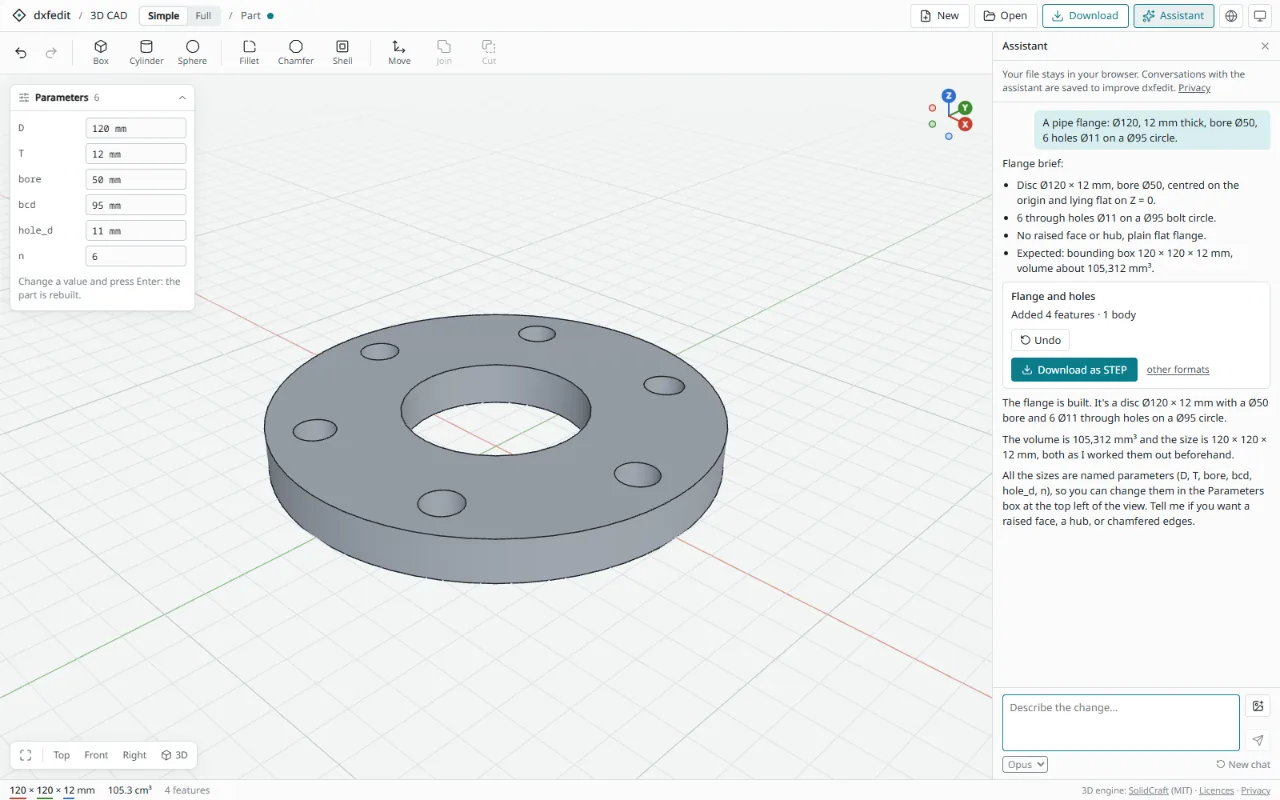
Try this message in the 3D CAD · the STEP file
A plate, from the PDF of its drawing
3D CAD. A two-page PDF attached, and the message: "Model the part in this PDF."
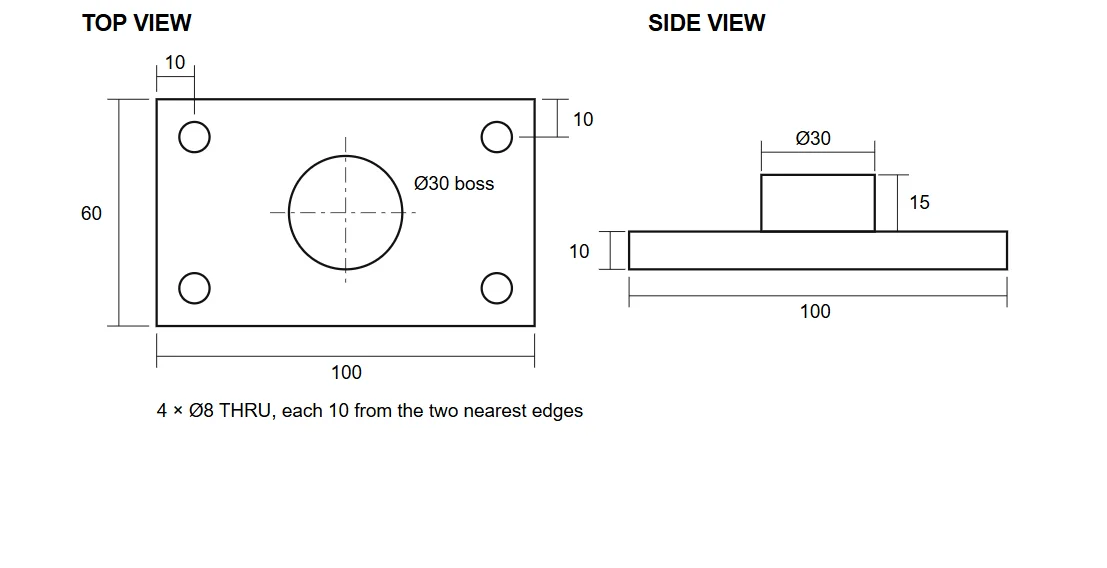
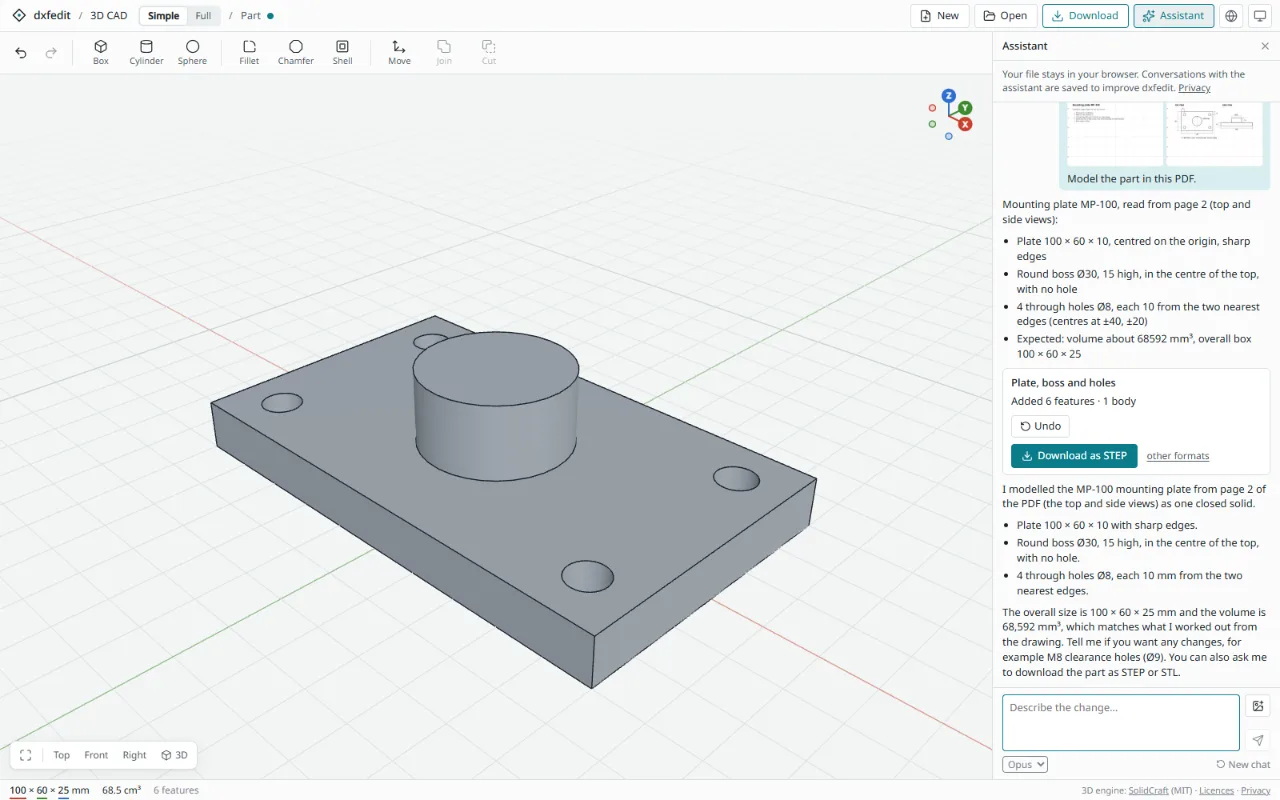
How to do it · the PDF · the STEP file
A bracket, from a sketch
3D CAD. A picture of a sketch attached, and the message: "Model this part from my sketch."
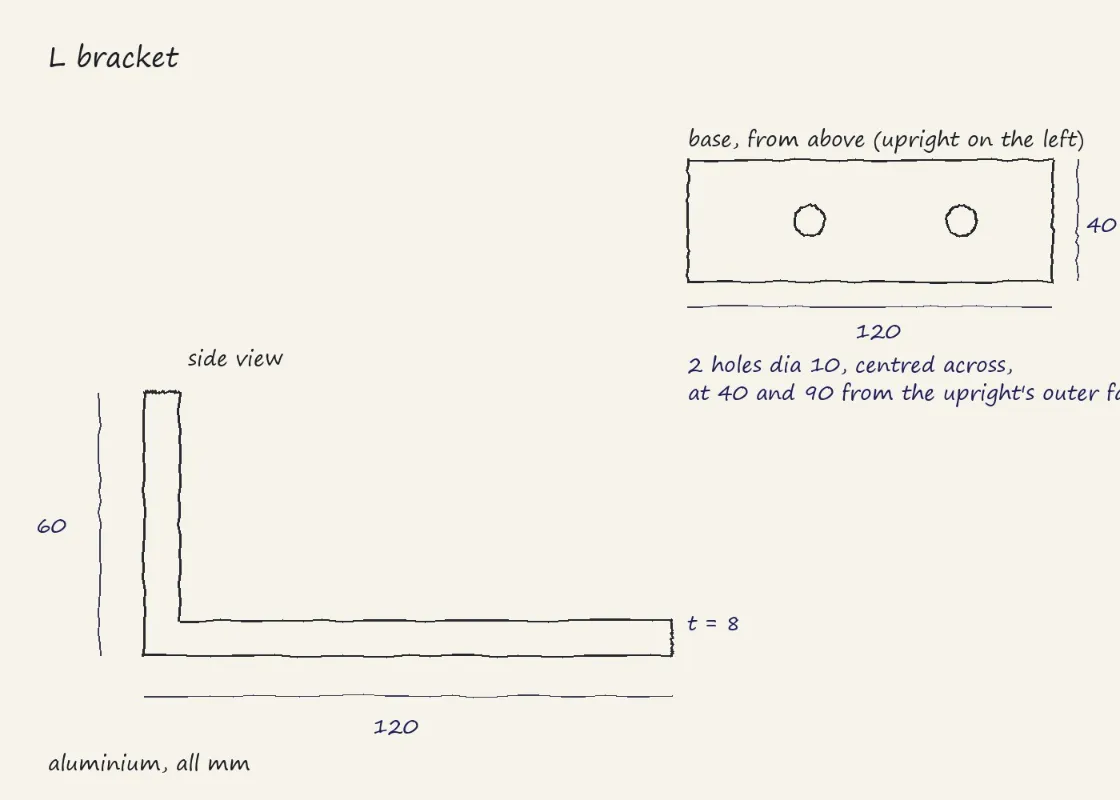
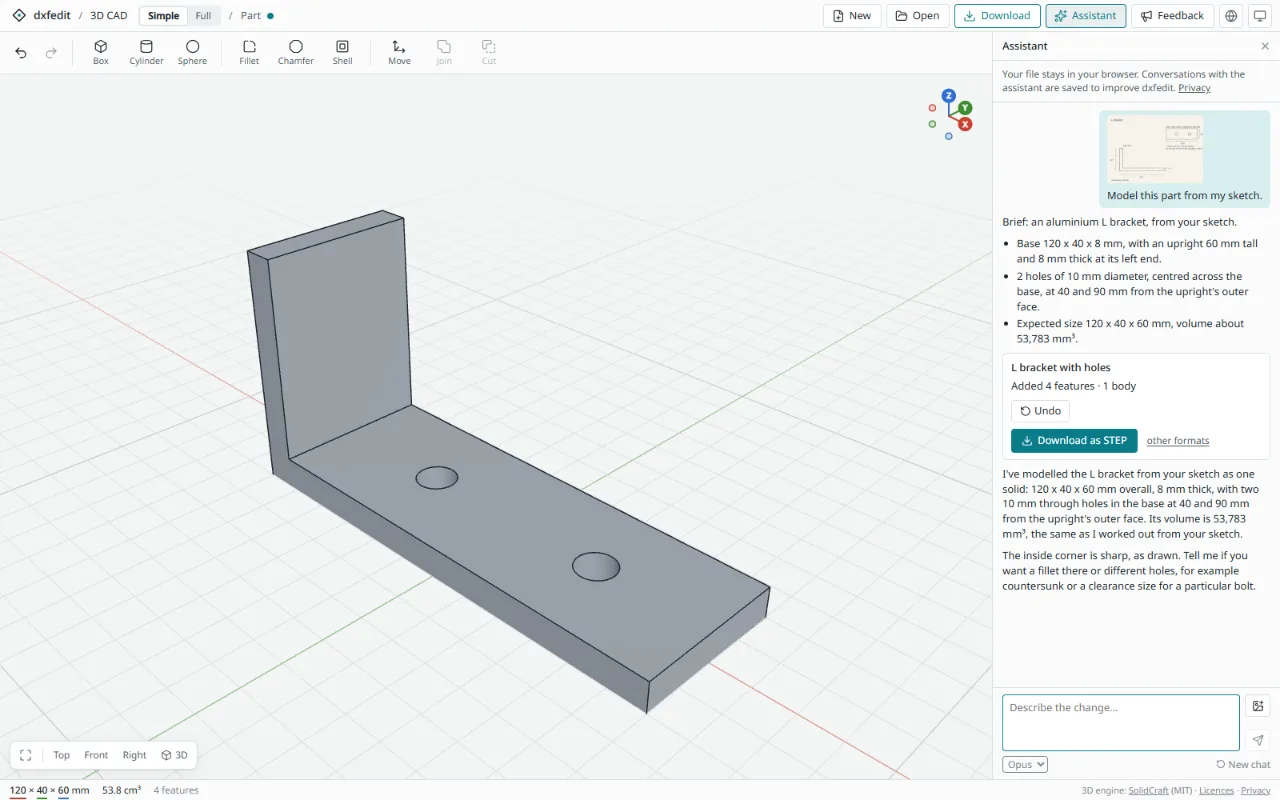
A drawing with its dimensions, from words
2D CAD, Full mode. The message: "A plate 200 × 120 with four Ø10 holes, each 15 from the two nearest edges, with its dimensions"
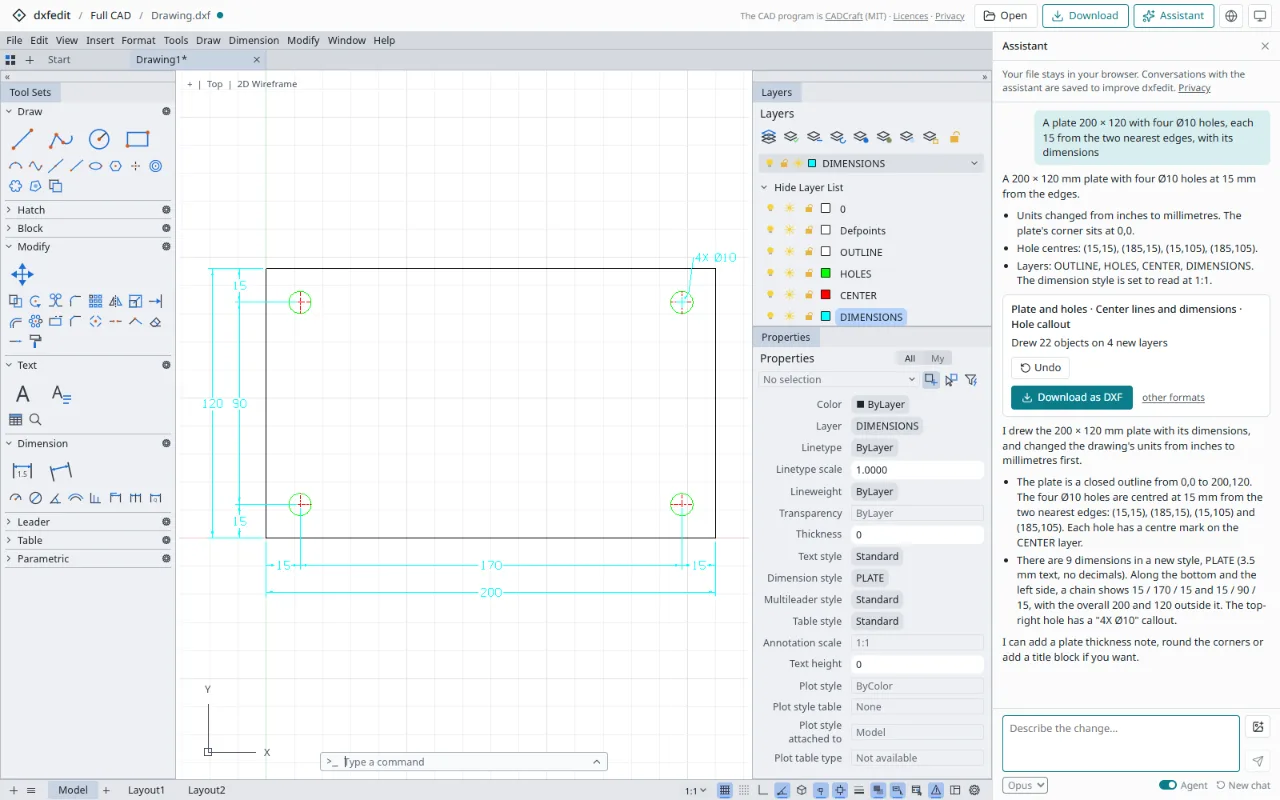
Try this message in Full mode · the DXF file
A change to a drawing
2D CAD, Simple mode, on its example drawing. The message: "Change the 8 bolt holes to Ø16"
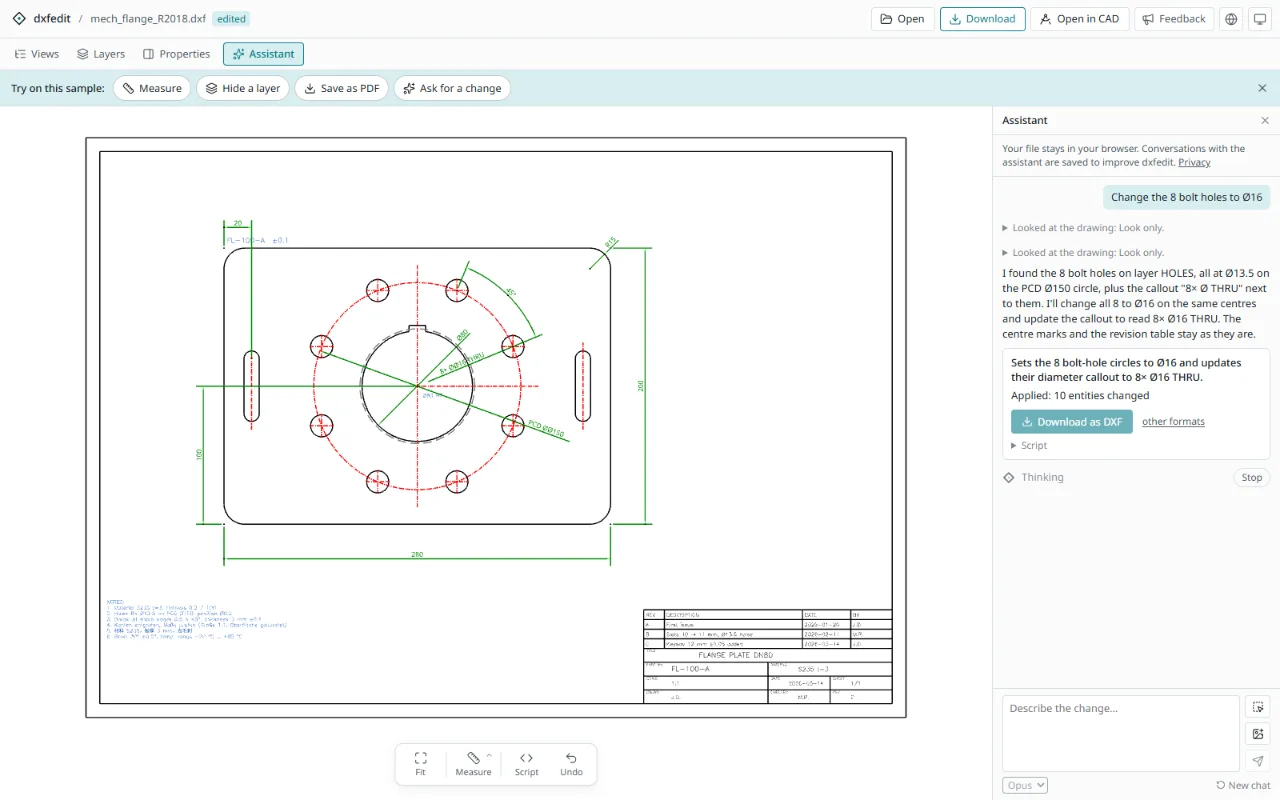
Open the example drawing and write the message yourself. The drawing's general notes also name Ø13.5, and the assistant left them as they were: say so if you want them changed too.
How these were made
On 26 November 2026, on a local copy of the site with the assistant the site uses. Each example is the first answer that assistant gave to the one message shown, and we did not correct anything afterwards. The numbers under each picture are the ones the page showed. The assistant does not give the same answer twice, so your result can differ in its details.
It can also get things wrong: check the sizes before you use a part. The assistant is free for a number of requests; after them it goes on with credit: see pricing.
Questions
Are these examples real?
Yes. Each is the first answer the site's assistant gave to the one message shown, with the screen as it was. Nothing was corrected by hand.
Can I download the results?
Yes: the STEP files of the flange and of the plate, the DXF of the drawing and the PDF we attached are linked under their examples.
Will I get exactly the same result?
Not exactly. The assistant does not answer the same way twice; the sizes you give are kept, details such as names and layers can differ.
More guides
- Open a DWG file online, without AutoCAD
- A free online CAD, in your browser
- Convert DWG to DXF online
- Convert DWG to PDF online
- Convert DXF to DWG online
- Edit a DWG without AutoCAD
- A free DXF editor, in your browser
- Open and edit a DXF file online
- Convert a DXF or DWG from inches to millimetres
- Change a text in a DWG or DXF
- Fix overlapping texts and dimensions in a DWG or DXF
- Delete duplicate lines in a DXF or DWG
- Add dimensions to a DWG or DXF
- Prepare a DXF for laser cutting
- AutoCAD alternatives for DWG files: how CADQuill compares
- Text to DXF and DWG: describe a drawing, get a CAD file
- Put one part in front of another, without masks
- Open a DWG on a Mac, a Chromebook, Linux or an iPad
- Convert DXF to PDF online
- Convert DXF or DWG to SVG online
- Convert DWG or DXF to PNG online
- Convert DWG or DXF to STL, OBJ, GLB or STEP
- Convert to DXF R12 online
- Save a drawing for an older AutoCAD
- Measure a DWG or DXF online
- An AI assistant for DWG and DXF drawings
- Text to 3D CAD: describe a part, get a STEP file
- Sketch to 3D model
- Free 3D CAD online
- STEP viewer online, free
- STL viewer online, free
- 3MF viewer online, free
- OBJ viewer online, free
- Convert STL to STEP online
- Convert STEP to STL online
- Convert OBJ to STL online
- Convert 3MF to STL online
- Convert STL to OBJ online
- Convert STEP to OBJ online
- Convert OBJ to STEP online
- Convert STL to 3MF online
- Convert STEP to 3MF online
- PDF to 3D model
- AI CAD generator
Last changed on 2026-11-27.